
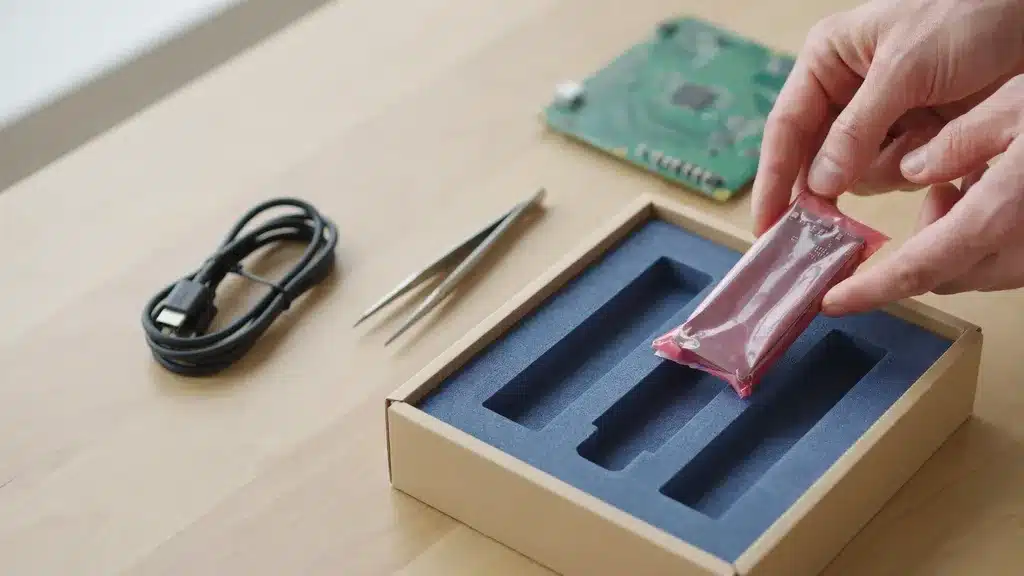
How do you ship electronics? Back up and power down the device, wrap it in anti-static material, pack it snug in its original box or a double-box with cushioning, follow the 2026 lithium-battery rules, then use ParcelPath to compare discounted rates 60-89% off.
Key Takeaways
- ParcelPath is free to use — no monthly fee, no minimums — and passes commercial UPS and USPS rates 60-89% below retail.
- Anti-static first. Wrap circuit boards and devices in anti-static material — plain bubble wrap can build a charge that damages components.
- The original box is best; without it, double-box with 2-3 inches of cushioning on every side. Even a GPU without its original box can ship safely this way.
- Know the 2026 lithium-battery rules: batteries now ship at or below a 30% charge, terminals must be insulated, and loose batteries face air-transport limits.
- Big, fragile items like a TV or monitor need foam corner blocks and “Fragile” marking; small items like AirPods ship cheaply in a padded mailer.
- The ParcelPath flow is three actions: enter package details → compare rates & print → drop off or schedule pickup.
What is ParcelPath, and why use it to ship electronics?
ParcelPath is a free shipping platform that gives individuals and small businesses access to commercial UPS and USPS rates — the same 60-89%-off pricing high-volume shippers get — with no monthly fees or minimums. You pay only for the postage you actually buy.
Electronics are valuable and often heavy, so insurance and the right rate both matter. ParcelPath lets you compare discounted UPS and USPS rates side by side and add declared value before you buy — important for resellers moving laptops, phones, and components where a single damaged unit erases the margin on several sales.
You also create and print the shipping label at home and drop off or schedule a pickup.
What device are you shipping, and where do you start?
From a phone to a 65-inch TV, the principles are the same — protect against static, shock, and (for batteries) fire — but the packaging scales with the device. The table shows the approach and ParcelPath cost range, with step-by-step guides. Start with what you are sending.
| Device | How to ship it | Cost (ParcelPath rates) |
|---|---|---|
| Phone & AirPods | Padded mailer or small box; battery rules | See your rate |
| iPad & camera | Snug box, foam, anti-static for the lens/board | See your rate |
| Laptop & laptop via USPS | Anti-static sleeve, double-box | See your rate |
| Graphics card & GPU without box | Anti-static bag, foam, double-box | See your rate |
| Desktop PC & iMac | Brace internals, original box, double-box | See your rate |
| Monitor & monitor without box | Foam corners, face protected, double-box | See your rate |
| TV | Original box or TV kit; foam corners, fragile | See your rate |
| Printer & speakers | Remove ink/cartridges; snug box | See your rate |
Cost scales with size and weight — run your numbers through the ParcelPath shipping calculator for an exact quote.
What do you need before shipping electronics?
- Anti-static bags or wrap for boards, cards, and bare devices — non-conductive packaging prevents static damage.
- The original box if you have it, or a sturdy box plus a second outer box for double-boxing.
- Foam, foam corner blocks, and bubble wrap for 2-3 inches of cushioning on every side; foam corners for screens.
- Battery know-how: charge to 30% or below, insulate terminals, and check carrier rules. See ParcelPath’s guide to shipping valuables and fragile items.
- A scale, tape, the destination address, and declared value.
How do you pack electronics so they arrive working?
Electronics fail from static, shock, and battery hazards. Pack for all three, and remember about 1 in 10 parcels arrives damaged — for electronics it’s usually shock from a too-loose box.
- Back up and power down. Back up data, log out, and power the device fully off; remove discs, SIMs, and loose accessories.
- Anti-static wrap. Wrap bare devices and components in anti-static material first, then bubble wrap — never bubble wrap directly on exposed circuit boards.
- Handle batteries to the rules. Charge lithium batteries to 30% or below, insulate any exposed terminals, and keep installed batteries secured. Loose batteries face air-transport limits.
- Box snug, then double-box. Use the original box where possible; otherwise put the padded device in an inner box and that into an outer box with 2-3 inches of cushioning all around.
- Seal, mark, and insure. Tape every seam, mark “Fragile” on screens, attach the label flat, and declare the device’s value.
How do you ship electronics with ParcelPath, step by step?
- Create your free ParcelPath account. No monthly fee; save your details once.
- Enter the package details. Destination ZIP, packed weight, and box dimensions.
- Compare rates and add declared value. Insure the device — electronics are exactly what you want covered.
- Pay and print. Pay only for the label — no platform fee — and print at home.
- Drop off or schedule a pickup at any UPS or USPS location.
How much does it cost to ship electronics?
Shipping electronics costs a fraction of retail for most devices in 2026, driven by size, weight, and distance. Insurance adds a little, and it’s worth it on anything valuable.
The recurring lesson with electronics is that packaging — not postage — decides whether a device arrives working. Spend on anti-static material, foam, and a second box; on a $600 laptop, a few dollars of padding is the cheapest insurance you can buy.
What are the 2026 battery rules?
| Battery situation | Rule | Why |
|---|---|---|
| Device with installed battery | Charge to ≤30%, secure the device | Lower charge reduces fire risk in transit |
| Loose / spare batteries | Insulate terminals; limited on passenger air | Exposed terminals can short and ignite |
| Damaged or swollen battery | Do not ship | Recalled/defective cells are prohibited |
| High-value device | Declare value, ship ground where possible | Ground avoids the strictest air-battery limits |
What goes wrong when shipping electronics — and how do you avoid it?
- Bubble wrap on bare boards. It builds static that fries components. Use anti-static material first.
- A loose box. Shock cracks screens and solder joints. Double-box with 2-3 inches of cushioning.
- Ignoring battery rules. Over-charged or loose batteries get rejected or worse. Charge to 30% and insulate terminals.
- Skipping insurance. Default coverage is only $100 — far below most devices. Declare full value.
- Paying retail. Walking into a carrier counter forfeits the 60-89% discount. Create the label through ParcelPath instead.
Ship your electronics for less
Create a free ParcelPath account, compare discounted UPS and USPS rates, add declared value, and print your label in minutes — no monthly fee, no minimums.
Frequently asked questions
How do you ship electronics safely?
Back up and power down the device, wrap it in anti-static material, pack it snug in its original box or double-box with 2-3 inches of cushioning, follow the lithium-battery rules, and declare its value. Mark screens “Fragile.”
How much does it cost to ship electronics?
Most devices ship at up to 89% off retail through ParcelPath’s discounted rates, depending on size, weight, and distance.
Can I ship electronics with lithium batteries?
Yes, within the rules: as of 2026, lithium batteries (including those in equipment) should ship at or below a 30% charge, terminals must be insulated, and loose batteries face air-transport limits. Ground service avoids the strictest restrictions.
Do I need the original box to ship electronics?
It’s best, but not required. Without it, wrap the device in anti-static material, put it in an inner box, and double-box with 2-3 inches of cushioning on every side.
How do I ship a TV or monitor?
Use the original box or a TV/monitor kit with foam corner blocks, protect the screen face, double-box, mark “Fragile,” and insure it. Screens crack from edge impacts, so the corners matter most.
Is ParcelPath really free to use?
Yes. No monthly fee, no subscription, no minimums. You pay only for postage and get UPS and USPS rates 60-89% below retail.
Should I insure electronics when I ship them?
Yes. Carriers include only $100 of coverage by default, far below most devices. Declare the full value and keep a photo and receipt in case you need to file a claim.
Do I need a printer to ship electronics with ParcelPath?
No. Print at home, or use a UPS mobile barcode or USPS Label Broker code to print free at a counter.
Methodology & sources: Anti-static packing, double-boxing, and the 2026 lithium-battery rules are drawn from ParcelPath’s electronics guides and published battery-shipping regulations. Primary references: Dedola — 2026 Lithium Battery Shipping Regulations, Tritek — How to Safely Ship Lithium Batteries, LBX Logistics — Lithium Battery Shipping Requirements, Voniko — Can You Mail Lithium Batteries (2026), and Helius — Lithium Battery Shipping Regulations 2026. No reader anecdotes were used; figures trace to carrier and regulatory sources.
Part of our Shipping Guides hub.
In this section:
- How to Ship a Monitor
- How to Ship a Printer
- How to Ship Speakers
- How to Ship a Graphics Card
- How to Ship an Imac
- How to Ship a Camera
- How to Ship an Ipad
- How to Ship a Phone
- How to Ship a Tv
- Do Laptops Have Lithium Batteries
- How to Ship a Laptop
- How to Ship a Pc
- How to Ship Airpods
- How to Ship Video Games
- How to Ship an Apple Watch


